To uninstall AppControl go to "Add or Remove Programs" in Windows Settings.
Go to the Windows Search box and type "add or remove" then click the result.
Now search for AppControl in the list of apps on your PC and choose "Uninstall".
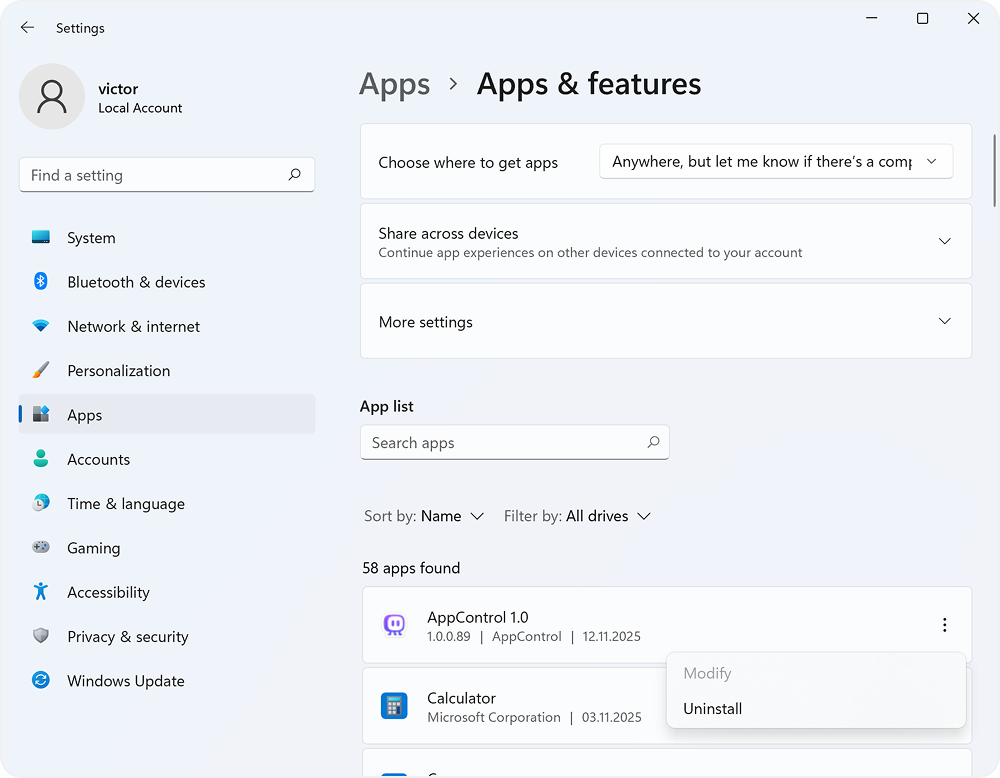
We make it super simple to uninstall AppControl.
To uninstall AppControl go to "Add or Remove Programs" in Windows Settings.
Go to the Windows Search box and type "add or remove" then click the result.
Now search for AppControl in the list of apps on your PC and choose "Uninstall".
Having trouble uninstalling AppControl? Please consider booting into Windows Safe Mode for your PC type, then go to "add or remove" programs to uninstall our software.
If you can't get into safe mode, you can also manually uninstall our software by deleting the following the instructions below:
Execute the following commands into the Administrator Command Prompt:
cd "C:\Program Files\AppControl\" appcservice.exe --uninstall sc stop AppControl pnputil /delete-driver AppControl.inf /uninstall sc delete AppControl We're sorry to see you go, and we hope you'll consider contacting us to tell us how we can improve in the future. If this is just a temporary uninstall, please remember you can download AppControl here again any time.